Sixteen places Windows can start a program
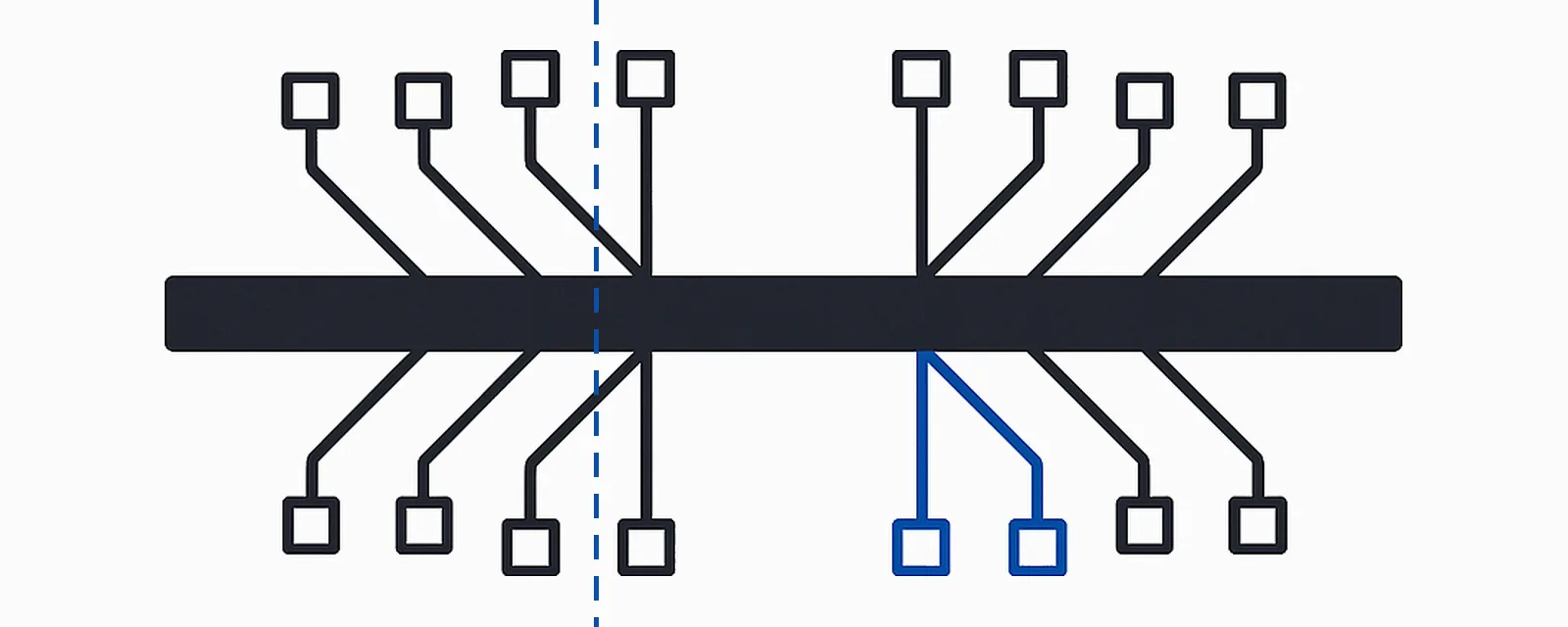
Sysinternals Autoruns takes a switch, -a, whose value selects which classes of autostart entry to enumerate, and the table on its documentation page lists sixteen letters: b d e g h i k l m n o p r s t w. That table is the closest thing that exists to a first-party answer to “what can start a program on this machine?”, and the answer is not a folder and not a registry key. It is sixteen separate registration mechanisms, each with its own owner inside Windows, its own documentation page, and its own way of failing when something removes an entry it did not understand.
§1The most credible thing a startup tool can publish is the list of surfaces it does not read
- Costs to publish a boundary
- 1 list · 16 rows
- Costs of not publishing one
- coverage unfalsifiable — see §6
- Tools in this category that publish one
- 1 that we found · see §8
Question 2 of the Ledger’s standing preamble asks whether a product publishes a capability boundary, and this article exists because “startup programs” is the category where the absence of one does the most damage. A registry cleaner that overstates its reach wastes your time. A startup manager that overstates its reach answers a diagnostic question wrongly: you asked what starts with this machine, the tool showed you a list, the list was complete-looking, and the thing you were chasing was registered somewhere the tool never enumerated. Nothing in the interface distinguishes “we looked and found nothing” from “we did not look.”
A boundary is cheap to publish and impossible to fake: a list of named surfaces with a read flag and a write flag against each. It cannot be written by marketing, because every row is checkable by anyone with the documentation and a registry editor, and a wrong row is a defect report rather than a matter of opinion. Autoruns publishes its boundary as command-line switches, which are the subject of the next two sections; the Mechanism Ledger publishes ours at the foot of the table, including the three things we will not cover.
One framing to reject first. This is not an argument that a tool is dishonest for covering three surfaces, which is where nearly every entry a home user cares about actually lives. It is an argument about a sentence: a product that says everything that starts with Windows has made a claim about sixteen mechanisms, and that claim is checkable.
§2Eight of the sixteen are surfaces Windows reads to build a running session
- Categories in this section
- 8 of 16 · switches b d k l r s t w
- Costs to enumerate them
- 0 · documented, free, in-box or Sysinternals
The switch letters below are quoted from the Autoruns page as it stood on 2026-08-06, grouped by what reads them rather than by letter, because the alphabet is not what makes the list intelligible.
b — boot execute. A MULTI_SZ at HKLM\SYSTEM\CurrentControlSet\Control\Session Manager\BootExecute holding the names and arguments of programs Session Manager runs before the Windows subsystem is up; the documented default content is Autocheck Autochk *, the file-system check. Sysinternals’ own description of native applications places this execution between the loading of boot and system-start drivers and the enabling of paging, which is why nothing running here can use ordinary Win32 services. Row A-08.
s — autostart services and non-disabled drivers. One REG_DWORD per service under HKLM\SYSTEM\CurrentControlSet\Services\<name>\Start, with five documented values from boot-loaded to disabled. It is the largest category on any machine and the only one with a dependency graph behind it, which is why it has its own article rather than a paragraph here. Rows S-01 onward.
r — LSA security providers. Custom authentication packages are registered by adding a DLL name to HKLM\System\CurrentControlSet\Control\Lsa\Security Packages, a REG_MULTI_SZ of names without the extension. Microsoft states the timing in one line: “Each time the system starts, the LSA loads the SSP/AP DLLs in this list.” A name here that does not resolve does not degrade sign-in, it prevents it. Row A-12, verdict HARMFUL.
d — AppInit DLLs. HKLM\SOFTWARE\Microsoft\Windows NT\CurrentVersion\Windows\AppInit_DLLs loads a custom DLL into the address space of every interactive application, which Microsoft describes as an easy way to hook system APIs and then declines to recommend: “usage of AppInit_DLLs is not recommended.” The version boundary is flat — “Starting in Windows 8, the AppInit_DLLs infrastructure is disabled when secure boot is enabled.” Row R-06.
k — known DLLs. HKLM\SYSTEM\CurrentControlSet\Control\Session Manager\KnownDLLs is step 5 of the documented DLL search order: if a DLL is on the list, “the system uses its copy of the known DLL” ahead of the application folder. It is an autostart surface in the sense that matters — an entry here changes which file every process in the system resolves a given name to. Row A-10, which is UNVERIFIED for the launch-speed claim specifically.
w — Winlogon entries. Under HKLM\SOFTWARE\Microsoft\Windows NT\CurrentVersion\Winlogon, the Shell and Userinit values name what runs to build a session: explorer.exe and userinit.exe by default. The Microsoft page documenting the correct values is a logon-failure troubleshooting article, which is the most efficient possible statement of what happens when they are wrong. Row A-09.
t — scheduled tasks. Task definitions under %SystemRoot%\System32\Tasks with a trigger type; two of the documented types are autostart in every practical sense, TASK_TRIGGER_BOOT (8), which “triggers the task when the computer boots”, and TASK_TRIGGER_LOGON (9), which “triggers the task when a specific user logs on.” This is where a modern updater usually lives, and the surface most consumer startup lists miss. Row A-04.
l — logon startups. The four Run and RunOnce keys under HKLM and HKCU, plus the per-user and all-users Startup folders that Microsoft documents as FOLDERID_Startup and FOLDERID_CommonStartup. Autoruns marks this one “this is the default”, which is a fair summary of where the entries actually are. Rows A-01 to A-03, and §5 is about this category and nothing else.
§3The other eight are extension points inside single components, and three are documented as retired or deprecated
- Categories in this section
- 8 of 16 · switches e g h i m n o p
- Of those, retired or deprecated
- 3 · g, i, and n
- Of those, undocumented as a subject
- 1 · o — see A-15
e — Explorer add-ons. Shell extensions load into Explorer to add context-menu items, property pages and overlays. Windows keeps a list of approved extensions at HKLM\SOFTWARE\Microsoft\Windows\CurrentVersion\Shell Extensions\Approved, and the documented catch is that the list is only consulted when an administrator has turned on EnforceShellExtensionSecurity. Row A-06 is DEPENDS on that condition: with the policy off, removing an approval changes nothing, because nothing is reading the list.
h — image hijacks. Microsoft documents this one under debugging rather than under startup: create Image File Execution Options under HKEY_LOCAL_MACHINE\SOFTWARE\Microsoft\Windows NT\CurrentVersion, add a subkey named after an executable, and inside it a REG_SZ named Debugger holding the full path to a debugger. Windows launches that instead of the named program. Used by a developer it is a debugger hook; written by something else it is the name Autoruns gives it. Row R-07.
m — WMI entries. A permanent event subscription in the root\subscription namespace binds an __EventFilter to a consumer through a __FilterToConsumerBinding. The consumer class that matters here is documented plainly: CommandLineEventConsumer “starts an arbitrary process in the local system when an event is delivered to it”, and a permanent consumer keeps working “even after a reboot of the operating system as long as WMI is running.” No file, no Run key, nothing in a folder. Row A-05.
p — printer monitor DLLs. Each monitor under HKLM\SYSTEM\CurrentControlSet\Control\Print\Monitors\<name> carries a Driver value naming a user-mode DLL the spooler loads; the in-box example is Standard TCP/IP Port pointing at tcpmon.dll. Microsoft’s documented failure for this surface is a spooler crash caused by a leftover entry, so it is one of the few rows here where a genuine leftover really does break something. Row A-13.
o — codecs. Registered under HKLM\SOFTWARE\Microsoft\Windows NT\CurrentVersion\Drivers32, a key that appears in Microsoft’s documentation only incidentally, inside an audio-compression API reference which notes that a value there “identifies a DLL that implements an ACM codec.” No page treats the key as a subject: no layout, no enumeration of value-name prefixes, no statement of when entries load. Row A-15 is UNVERIFIED and says which pages we checked.
n — Winsock protocol and network providers. A Layered Service Provider inserts itself into the Winsock catalog so that every socket call passes through it. Microsoft’s current note is a deprecation: “Layered Service Providers are deprecated. Starting with Windows 8 and Windows Server 2012, use Windows Filtering Platform.” The same page explains why the category was dangerous enough to replace — an uncategorised provider “will not be loaded in services or system processes (for example, lsass, winlogon, and many svchost processes)”, a rule added because a defective provider loaded into lsass.exe forces the machine down. Row A-11.
i — Internet Explorer add-ons. Browser Helper Objects are CLSIDs under HKLM\SOFTWARE\Microsoft\Windows\CurrentVersion\Explorer\Browser Helper Objects, instantiated by Internet Explorer when it starts. Internet Explorer 11 reached end of support on 2022-06-15 and has, in Microsoft’s words, “been permanently disabled on certain versions of Windows 10”, so the only documented consumer of this key is gone. Row A-07 stops one sentence short of the obvious next one, and §10 says why.
g — sidebar gadgets. Microsoft Security Advisory 2719662, published 2012-07-10, shipped an automated solution that “disables Windows Sidebar and Gadgets on supported editions of Windows Vista and Windows 7”, and the Windows 8 developer notes go further: “we have chosen to remove Gadgets from the operating system entirely.” The surface is still enumerated and still appears in tool feature lists, fourteen years after it stopped existing. Row A-14.
§4Every one of the sixteen is a feature somebody needed, which is precisely why unwanted software uses them
- Categories designed as extension points
- 16 of 16
- Categories Microsoft advises against using
- ≥2 · d and n, both in writing
- Costs of removing the extension points
- NOT ESTABLISHED — see §4
The list looks arbitrary until you read it as a history of requests granted. A file-system check has to run before the file system is in use, so there is a boot-execute value. A backup product has to add a column to Explorer, so there are shell extensions. A smart-card vendor has to add an authentication package, so the LSA loads a list of DLLs at every start. An enterprise has to run a task at boot without creating a service, so the task scheduler has a boot trigger. Not one of these was designed as a hiding place, and all sixteen have been used as one.
That is the structural reason the category cannot be closed: removing an extension point breaks the software that legitimately extended it, so the surfaces persist, documented, indefinitely, and the mitigations Microsoft has shipped are narrower than removal. Secure Boot switches off the AppInit_DLLs infrastructure rather than deleting the value. Layered Service Providers were deprecated in favour of a different platform, and uncategorised ones excluded from the processes where they did the most harm. Gadgets are the exception: Microsoft removed them outright, and it took a security advisory and a major release to do it.
What we could not establish. There is no published Microsoft figure for how many entries a clean installation places across these sixteen surfaces, and we cannot supply one, because we run no software and would be inventing the number. Without a baseline, “you have 47 startup items” is a count with no denominator, and a count with no denominator is not a diagnosis.
§5Task Manager’s Startup tab covers three of the sixteen, and Microsoft says which three
- Categories a startup list reads
- 3 of 16 · Run, RunOnce, Startup folders
- Costs to read the impact rating
- 0 · computed by the OS since Win8
- Threshold for a high rating
- >1 s CPU or >3 MB disk I/O at startup
The in-box startup list is the honest benchmark for every third-party one, because Microsoft published its scope. The Windows 8 developer notes classify startup apps as those using three mechanisms: “Run registry keys (HKLM, HKCU, wow64 nodes included)”, “RunOnce registry keys”, and “Startup folders under the start menu for per user and public locations.” Three of the sixteen, stated in public — which is the reason the tab is trustworthy. You can tell what it is not telling you.
The same page gives the arithmetic behind the impact column, which is the feature the suites were charging for, computed by the operating system and given away. Impact “is assessed based on an app’s CPU and disk usage at startup”, with three published bands: high for apps using “more than 1 second of CPU time or more than 3 MB of disk I/O at startup”, medium for “300 ms - 1000 ms of CPU time or 300 KB - 3 MB of disk I/O”, and low for “less than 300 ms of CPU time and less than 300 KB of disk I/O.” A list of twenty entries every one of which is rated low is a list whose total cost is under six seconds of CPU, and no removal from it will be perceptible.
Two documented properties of the Run keys undercut the ordering-and-delay features sold against this surface, and both sit in one Microsoft paragraph. First: “If more than one program is registered under any particular key, the order in which those programs run is indeterminate.” Second, the system already does the staggering: it “may choose to delay the execution of programs in the Run key and in the Startup group to a time when they are less likely to interfere with the foreground user experience or with each other.” A product offering to sequence your startup items is offering to order a set Windows documents as unordered.
RunOnce deserves its own line because it is where cleanup products find phantom work. “By default, the value of a RunOnce key is deleted before the command line is run”, so on a healthy machine there is nothing here to remove; row A-02 is NO-OP for that reason. The exceptions are the interesting part and they are documented in the same three sentences: an exclamation-point prefix defers the deletion until after the command runs, an asterisk prefix forces the entry to run in Safe Mode where these keys are otherwise ignored, and the HKLM variant “only executes when members of the Administrators group log on after the reboot.”
§6What a 2008 Startup Manager enumerated cannot be established, and the reason is the point
- Surfaces named by the archived feature list
- 0
- Words the feature list spends on it
- 2 · the module name
- Costs to close this question
- NOT ESTABLISHED — permanently unverifiable
Startup ManagerUNVERIFIED
Named module in the archived Vista Winset Utilities feature list, tlwinset.com/index.htm, capture 2008-10-24. Checked 2026-08-06 · Ledger row A-01
This domain’s own history supplies the worked example, and it supplies it by omission. The 2008 capture of the product page lists a module called Startup Manager among the tools in the suite. It names no key, no folder and no category. There is therefore no way, in 2026 or in 2008, to determine whether that module read two surfaces or ten, and no way for us to determine it either: we do not hold the software, we would not install a 2012 system-level utility of uncertain provenance, and a feature name is not a capability boundary. Row A-01 records what the surface does; the coverage question attached to this product is UNVERIFIED and will stay that way permanently, because the evidence that would close it was never published.
The shape of that finding matters, because it is easy to overread in our own favour. It is not evidence that the module was poor. Arguing from the surfaces rather than from the product, a 2008 startup manager covering the Run keys and the Startup folders would have been covering most of what a 2008 machine had, and gadgets were live and worth covering then in a way they have not been since Windows 8. The finding is duller than an accusation: the claim was unfalsifiable when it was made, it is unfalsifiable now, and a product that had published its list would still be checkable eighteen years later.
§7Any tool in this category should publish which of the sixteen it reads and which it writes
- Costs to publish this disclosure
- 6 lines · 1 page · 0 code
- Costs to verify somebody’s disclosure
- 0 · every row is checkable
- Products we found publishing one
- 1 · and it is a switch table
Here is the demand, stated as a template rather than as a complaint, and free to copy. Six slots, all factual, none a matter of taste. A vendor filling this in truthfully loses nothing except the ability to imply coverage it does not have, and a vendor refusing to fill it in has answered the question anyway.
Two of those slots do work that is not obvious. Surfaces written is separate from surfaces read because the two lists differ in every serious tool, and the difference is the safety story: enumerating the LSA package list is a reasonable thing for a diagnostic to do, and writing it is not. Undo specifies “without the product installed” because a restore path that depends on the same product still running in six months is not a restore path, it is a subscription. The Ledger’s standing preamble puts the same test as question 7.
We think this template is also the fastest way to read a product page in this category without installing anything: look for the six answers and count how many are present. A zero is information. It means every claim on the page about what the product finds is a claim about an unstated scope.
§8You can enumerate all sixteen today for nothing, and the tool that does it will also let you break the machine
- Costs to enumerate all sixteen
- 0 · 1 free Microsoft download
- Costs of the first pass
- 0 changes — read only, by discipline
- Costs of a wrong delete
- up to no logon — see A-09
Sysinternals Autoruns is Microsoft’s, it is free, and its own page describes it as the utility “which has the most comprehensive knowledge of auto-starting locations of any startup monitor”. The command-line build, autorunsc, takes -a * for all categories or any subset of the sixteen letters, and can emit -c CSV, -ct tab-delimited or -x XML, which makes a before-and-after comparison a diff of two text files rather than a memory of what a window looked like — the same discipline the instruments article applies to every other claim on this site.
Three switches turn a list into something readable. -s verifies digital signatures; -h shows file hashes; and -m hides Microsoft entries, or, used together with signature verification, hides signed entries — the command-line form of the option the graphical tool calls Hide Signed Microsoft Entries, whose documented purpose is the right way to think about a first pass: it “helps you to zoom in on third-party auto-starting images that have been added to your system”. There is also -v, which queries VirusTotal by file hash with the terms acceptance carried in -vt; submitting hashes, and with the s option files, sends data to a third party, which is a decision to make deliberately rather than by leaving a box ticked.
Two further capabilities answer questions people otherwise answer by guessing. Entries are per-account: the graphical tool has a User menu for viewing “auto-starting images for different user accounts”, and the command line takes a user name, or * to scan all profiles. And -z “specifies the offline Windows system to scan”, which is how you enumerate a machine that no longer starts.
The trap is in the tool, and it is not a defect. Autoruns names surfaces; it does not render verdicts. Unchecking a box disables an entry and the Delete command removes it, and neither action consults a dependency graph, a support policy or your future self. A surface being listed is not a surface being understood: the sixteen categories include at least two, A-09 and A-12, where a removal produces a machine that cannot reach a desktop, and the failure appears before there is a desktop to run a repair on. The discipline that follows is one line long. On the first pass, change nothing: export, read, look up the entries you do not recognise by name and by hash, and come back. Nothing on a machine that has been running for a year needs fixing in the next ten minutes.
§9Startup entries are the one intervention worth making, and the reason is arithmetic rather than enthusiasm
- Costs saved by removing a low-impact entry
- <300 ms CPU · <300 KB I/O
- Costs saved by removing a high-impact entry
- >1 s CPU or >3 MB I/O, per start
- Costs of the removal, done right
- 1 entry · 1 name written down
This is the intervention knowledgeable people endorse, and the reason is worth stating in mechanism terms rather than as a preference. A program that starts with the session is not a one-off cost: it holds a working set, keeps handles open, and runs on every start for as long as it stays registered, whereas most of what this genre sells is a single write whose effect ends at the next reboot. The removal is also reversible in the cheapest possible way, because the entry is a name and a command line. Row A-01 is TRADE rather than a recommendation for exactly this reason — it works, and its cost is that the two keys it edits are two of sixteen surfaces, so a clean startup list is not the same finding as a clean machine.
Now the honest limits, in the order a reader will hit them. The saving is bounded by the published impact bands, so on a list of low-rated entries there is no perceptible win available. Boot timing itself is measured by the operating system rather than by a stopwatch — the boot article covers the event log the OS writes without being asked, and the several boots the cache planner needs before a comparison means anything. Startup entries have nothing to do with memory pressure once the desktop is up, which is a different number entirely. And a disabled entry is frequently re-created by updaters that register themselves at every run, which is why a startup list is something you read twice a year rather than something you finish.
The last limit returns this article to its first paragraph. A machine where something starts and you cannot find where it is set is, by definition, a machine where the entry is not on the three surfaces the startup list reads. That is not a hard problem — thirteen more categories, all documented, all enumerable in one command — but it is unreachable through any interface that will not tell you what it looked at.
§10Standing: what this page establishes and what it does not
- Costs in primary sources
- 22 cited, all accessed 2026-08-06
- Costs in unresolved rows
- 4 UNVERIFIED of 18 touched
- Costs we measured ourselves
- 0 — we run no software
§11Sources & method: every claim above, with the page it came from
- Costs in fetches
- 22 sources, fetched 2026-08-06
- Costs in vendor prose republished
- 0 sentences · 1 quote, 2 words
- Costs in screenshots
- 0, permanently
Method, plainly: the enumeration is taken from one primary source, the Sysinternals Autoruns page, read on 2026-08-06, and every category is then attached to the Microsoft page that documents the surface itself, so that no letter in the list rests on the switch table alone. One discrepancy in that source is worth recording rather than smoothing over. The usage line prints the accepted values as -a <*|bdeghiklmoprsw>, which is fourteen letters, while the parameter table immediately below it documents sixteen, adding n for Winsock providers and t for scheduled tasks. We take the table as authoritative because it is the more specific of the two and because both categories have their own documented surfaces, and we report the mismatch rather than picking the reading we prefer. Nothing on this page was measured by us: there are no timings, no entry counts and no first-hand account, because we do not run the software this category sells and we have never run Windows Winset.
- Autoruns (Sysinternals), published 2026-06-17 — the -a switch table and its sixteen letters, the usage line, -c/-ct/-x, -s, -h, -m, -v/-vt, -z, the user argument, the Hide Signed Microsoft Entries and User menu descriptions. Accessed 2026-08-06
- Run and RunOnce registry keys, ms.date 2024-07-19 — the four key paths, indeterminate ordering, the documented delay, the ! and * prefixes, Safe Mode, and the HKLM administrator condition. Accessed 2026-08-06
- Startup apps (Windows 8 developer cookbook) — the three mechanisms classified as startup apps and the high/medium/low impact thresholds. Accessed 2026-08-06
- KNOWNFOLDERID — FOLDERID_Startup and FOLDERID_CommonStartup with their default paths. Accessed 2026-08-06
- Inside Native Applications, Mark Russinovich (Sysinternals) — BootExecute, its Autocheck Autochk * default, and where Session Manager runs it. Accessed 2026-08-06
- HKLM\SYSTEM\CurrentControlSet\Services registry tree, ms.date 2024-09-18 — the Start value and its five settings, for the services and drivers category. Accessed 2026-08-06
- Registering SSP/AP DLLs — the Security Packages path, the REG_MULTI_SZ format, and the LSA loading the list at every system start. Accessed 2026-08-06
- AppInit DLLs and Secure Boot, ms.date 2018-05-31 — the Windows 8 Secure Boot boundary and the recommendation against use. Accessed 2026-08-06
- Dynamic-link library search order — KnownDLLs and its position in the documented search order. Accessed 2026-08-06
- Cannot log on to Windows — the Winlogon Shell and Userinit defaults. Carries Microsoft’s community-content disclaimer. Accessed 2026-08-06
- TASK_TRIGGER_TYPE2 enumeration — TASK_TRIGGER_BOOT (8) and TASK_TRIGGER_LOGON (9). Accessed 2026-08-06
- Only allow approved Shell extensions (archived) — the Approved key and EnforceShellExtensionSecurity. Accessed 2026-08-06
- Debugging a service, ms.date 2018-05-31 — the Image File Execution Options key location and the Debugger REG_SZ. Accessed 2026-08-06
- CommandLineEventConsumer class — starting an arbitrary process on event delivery, and permanent consumers surviving a reboot. Accessed 2026-08-06
- Print spooler crashes (KB 947477) — the Print\Monitors key layout, the Driver value and tcpmon.dll. Accessed 2026-08-06
- acmDriverAdd function — the only Microsoft page we found naming Drivers32 and what a value there identifies. Accessed 2026-08-06
- Categorizing layered service providers and apps, ms.date 2018-05-31 — the deprecation note, the Windows Filtering Platform replacement, and the exclusion of uncategorised providers from system processes. Accessed 2026-08-06
- The basics of Browser Helper Objects (archived Microsoft blog) — the Browser Helper Objects key and how Internet Explorer instantiates the CLSIDs under it. Accessed 2026-08-06
- Internet Explorer and Microsoft Edge lifecycle FAQ — the 2022-06-15 end-of-support date and the permanent disabling statement. Accessed 2026-08-06
- Microsoft Security Advisory 2719662, published 2012-07-10 — the automated solution disabling Windows Sidebar and Gadgets. Accessed 2026-08-06
- Desktop gadgets removed (Windows 8 developer cookbook) — the removal statement. Accessed 2026-08-06
- Archived Vista Winset Utilities product page, tlwinset.com/index.htm, Internet Archive capture 2008-10-24 — the named Startup Manager module. Accessed 2026-08-06
Previous · What “junk files” actually are, and what Windows already deletes — a third of what a cleaner reports as recoverable is already scheduled for deletion or is not there at all.
Next · Measure it yourself, with what is already installed — nine in-box instruments, what each one actually measures, and the exact counter to watch for each claim this site examines.